How to Make a Rap Video of You and a Friend From Two Photos (With Before-and-After Examples)
A step-by-step guide to turning two ordinary photos into one duo rap video: which photos work, how to split the lyrics between two people, and real before-and-after examples from our generator.
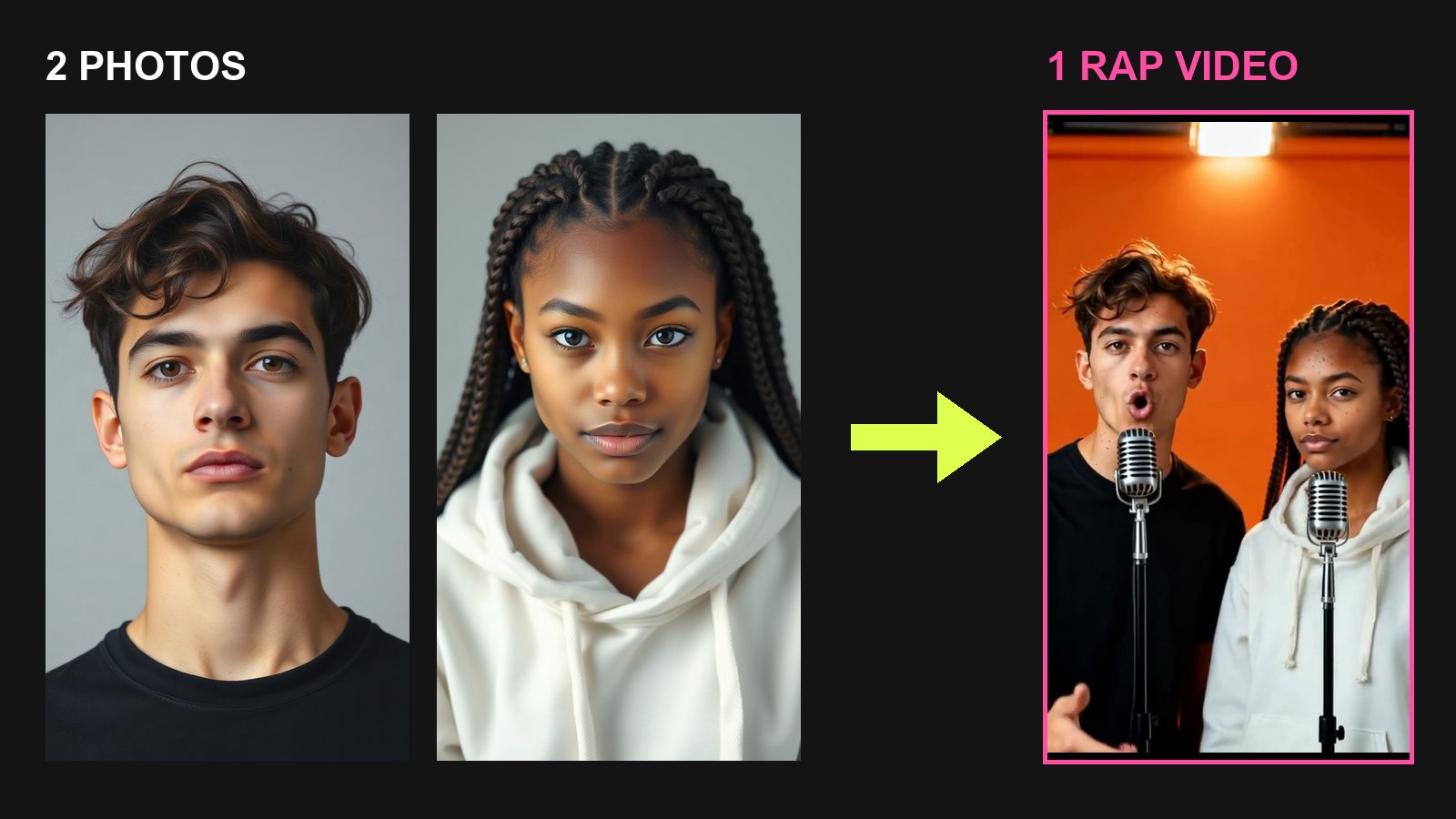
You have a photo of yourself and one of a friend, a partner or a sibling. They were taken on different days, in different places. You want one clip where both of you rap, one after the other, over the same beat.
This guide shows how to do that with Get AI Rap Video, which we make. Every example below is a real render from our generator, shown next to the two photos that went in. We used AI-generated portraits of two people who don't exist, because we don't publish customers' faces.
Before and after: an orange studio duo
These are the two photos we started from. They were taken separately, with a plain grey background and no microphone. This is the 10-second video the generator made from them:
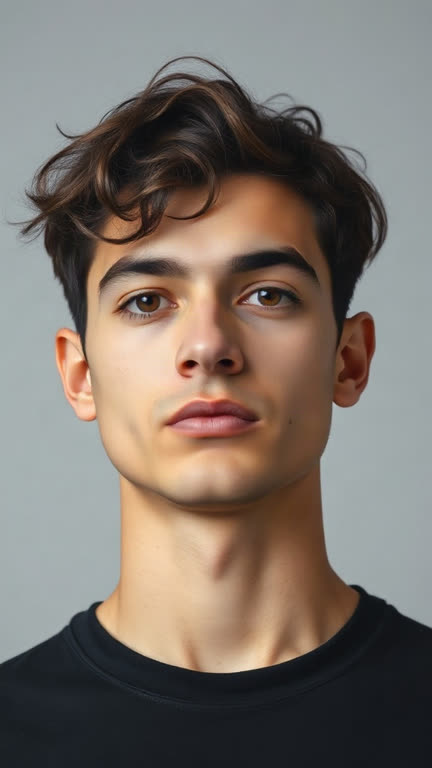
Photo 1 · left, raps first
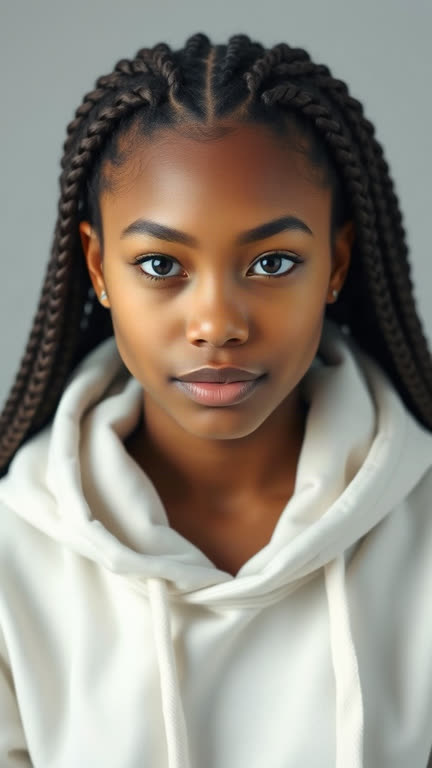
Photo 2 · right, raps second
The video · Orange studio mic · 10 s
The lyrics we typed, four lines for 10 seconds:
Orange on the wall and the beat go hard
We came through the door with no need for a card
Now it is my turn and I am taking the lead
Two on the mics, that is all that we need
What changed between the photos and the video:
- Both people are in one shot. In the Orange studio scene, the generator first makes one new still of both people standing side by side. Then it animates that still. That is why they look like they were filmed in the same room, even though the photos came from two different places.
- The scene is new, and the people are not. The orange wall, the lights and a vintage mic on a floor stand for each person were added. Faces, hairstyles and clothes were kept from the photos.
- They take turns. The person on the left raps lines one and two. The person on the right comes in on "Now it is my turn" and finishes the verse.
What didn't come out perfectly: look closely and the woman's skin tone is a little lighter than in her photo, and her braids are styled a bit differently. Small changes like these are common when a model rebuilds a person in a new scene. Check them before you post a video of someone else.
Before and after: a rap battle
Same two photos, a different scene. The Rap battle scene doesn't build a new combined still. Instead, it takes the middle of each photo, places the two side by side and animates them on a stage with a crowd.
Photo 1 · left
Photo 2 · right
The video · Rap battle · 10 s
You brought a script but you forgot the beat
I came to play and you just took a seat
Nice little verse, now listen to the pro
I wrote this one and I stole the show
A battle works best when the lines read like an argument. The left person makes a claim, and the right person answers it. Keep it friendly. Hateful, sexual or threatening lyrics are blocked before they render. If you want the bars first, the free diss track generator writes clean roasts you can paste in.
Step by step: your own duo rap video
1. Pick two photos that match
Each photo should show one person, face clearly visible and looking at the camera. A head-and-shoulders or waist-up shot is ideal. Then make the pair match as much as you can:
- Similar framing. Two head-and-shoulders shots look like one scene. A close selfie next to a full-body photo does not.
- Similar light. Two daylight photos blend well. A bright beach photo next to a dim bar photo looks pasted together.
- Face in the middle. Scenes like Rap battle crop each photo to its middle strip. A face near the edge of the photo can get cut off.
- Nothing over the mouth. Sunglasses, masks, hands, a mic or a drink in front of the face all make the lip sync worse.
The two portraits above are a good model to copy: same distance, same plain background, both people looking straight at the camera.
2. Choose 2 photos (duo) and upload
Open the generator or go straight to the AI rap battle page. Choose 2 photos (duo). The first slot is Left · raps first, the second is Right · raps second. Put the person who should open the verse on the left.
You can pick the photos before you sign in. Signing in is only needed when you render.
3. Pick the stage
The stage sets the background, the beat and how the two of you are placed together:
- Orange studio mic: a studio with one mic each, like the first example above. It's the look of the Hotel Lobby trend, with your own lyrics and an original beat.
- Rap battle: a stage, spotlights and a cheering crowd.
- Birthday, Halloween, Christmas and Night rooftop: for occasions. A birthday rap for a friend is the most common reason people make a duo.
4. Write the lyrics in order
Here is the one rule that matters for two people: the first half of the lines belongs to the left person, the second half to the right person.
| Length | Lines in total | Left person | Right person |
|---|---|---|---|
| 10 s | 4 | Lines 1–2 | Lines 3–4 |
| 15 s | 6 | Lines 1–3 | Lines 4–6 |
A few habits that help:
- Give the right person a handoff. A line like "Now it is my turn" makes the switch sound planned.
- Use real names and one specific detail. "Sam still owes me twenty bucks" beats "my friend is so cool".
- Write fewer words than you think. About two short lines per five seconds. Long lines get rushed. We worked through the numbers in How to Write Rap Lyrics for a 15-Second Video.
Don't want to write? Pick who the rap is for (Birthday, Best friends, Friendly roast and so on), add a name and one detail, and the AI writes clean lyrics for both people. Raps are in English.
5. Choose the length and render
For two people, choose 10 or 15 seconds. Five seconds is enough for only one person's lines. The price is the same at every length, so pick the one that fits your lyrics.
Most videos are ready in about a minute. You get a vertical 9:16 MP4 at 768p that you can post to TikTok, Instagram Reels and YouTube Shorts.
6. Watch it once before you post
Play it with the sound on. If one person barely moves their mouth, the cause is almost always the photo (step 1) or too many words (step 4). Fix that, then render again.
What it costs, and what you don't pay for
A duo video costs the same as a single-photo video:
- No subscription. One video is $5.99. Packs bring it down to as little as $1.43 per video. Every payment is one-time. Nothing renews, and unused videos never expire.
- No watermark. Every video downloads as a clean MP4, and commercial use is included.
- A failed render gives the video back. If a render fails on our side, the video goes back to your balance automatically, and you can try again at no extra cost. Payments themselves are not refunded, and a video that renders counts as used.
See pricing for the packs.
Before you post
Ask your friend first. Only use photos of people who agreed to it. Our generator refuses celebrities, public figures and minors. Uploaded photos are deleted after 14 days and are never used to train our models.
Download what you want to keep. Finished videos stay in your library for 30 days.
Label realistic clips. A photo-real video of two real people rapping is exactly the kind of content TikTok and YouTube ask creators to mark as AI-generated. We covered the rules in How to Make an AI Rap Video From a Photo.
Ready? Open the AI rap battle generator for a face-off, or start from the home page and choose 2 photos (duo).
Frequently asked questions
- Can I make one AI rap video with two people from two separate photos?
- Yes. Upload one photo of each person in 2 photos (duo) mode. The photos do not need to be taken together. The generator places both people in the same scene, and they take turns rapping in one 9:16 clip.
- Who raps first in a duo rap video?
- The person in the left photo raps the first half of the lyrics, and the person in the right photo raps the second half. Write your lines in that order, or leave the lyrics empty and the AI writes both parts.
- How long should a two-person rap video be?
- Ten seconds is the shortest length we recommend for two people. That gives each person about two lines. Five seconds usually fits only one person’s part, and 15 seconds gives each person three lines.
- How much does a duo rap video cost?
- The same as a single-photo video: $5.99 for one, or from $1.43 per video in packs. Five, 10 and 15 seconds all cost the same. Every pack is a one-time payment with no subscription, videos have no watermark, and if a render fails on our side the video goes back to your balance.
- Do I need my friend’s permission to use their photo?
- Yes. Only use photos of people who agreed to it. Our generator refuses celebrities, public figures and minors, and uploaded photos are deleted after 14 days and never used to train our models.